PII redaction for researchers
Transcripts you can rely on
Detect and redact PII in your browser so raw transcripts never reach the cloud

Runs entirely in your browser
Every transcript is processed on your device and never uploaded, so your research data has no server to leak from and no retention window to worry about.
Runs entirely in your browser
Every transcript is processed on your device and never uploaded, so your research data has no server to leak from and no retention window to worry about.
Runs entirely in your browser
Every transcript is processed on your device and never uploaded, so your research data has no server to leak from and no retention window to worry about.

Local Redaction
Transcripts are processed entirely in your browser and never sent to our servers, so your account holds billing and nothing else.
Local Redaction
Transcripts are processed entirely in your browser and never sent to our servers, so your account holds billing and nothing else.

Verifiable Privacy
Open your network tab while you work and watch no transcript data leave the page, because checkable claims beat trusted ones.
Verifiable Privacy
Open your network tab while you work and watch no transcript data leave the page, because checkable claims beat trusted ones.
Verifiable Privacy
Open your network tab while you work and watch no transcript data leave the page, because checkable claims beat trusted ones.

No AI Involved
Redaction runs on transparent rules instead of a language model, so results are identical every run and nothing trains on your data.
No AI Involved
Redaction runs on transparent rules instead of a language model, so results are identical every run and nothing trains on your data.
No AI Involved
Redaction runs on transparent rules instead of a language model, so results are identical every run and nothing trains on your data.

You Approve Everything
The tool suggests and you decide, so nothing gets masked without review and every quote stays faithful to what your participant said.
You Approve Everything
The tool suggests and you decide, so nothing gets masked without review and every quote stays faithful to what your participant said.
You Approve Everything
The tool suggests and you decide, so nothing gets masked without review and every quote stays faithful to what your participant said.
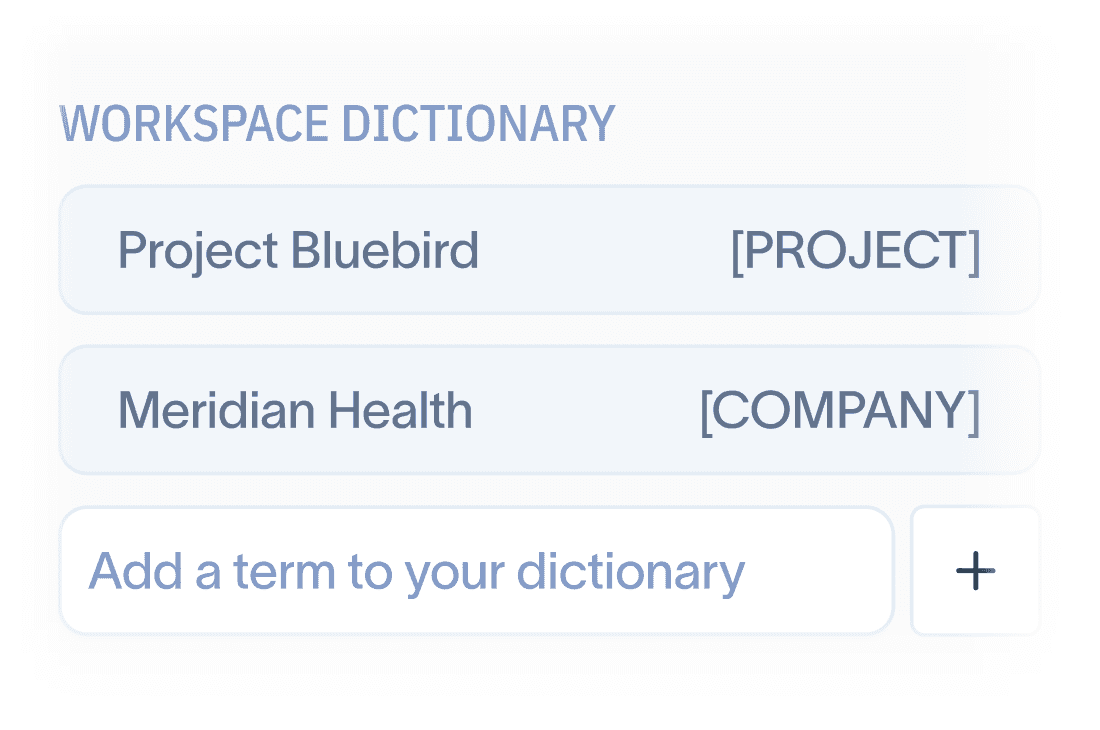
A Smarter Dictionary
Terms you flag once are caught automatically in every transcript after that, so cleanup gets faster as your study grows.
A Smarter Dictionary
Terms you flag once are caught automatically in every transcript after that, so cleanup gets faster as your study grows.

Workflow-Ready Exports
Cleaned transcripts export in formats that work with your existing process instead of becoming a detour.
Workflow-Ready Exports
Cleaned transcripts export in formats that work with your existing process instead of becoming a detour.
Workflow-Ready Exports
Cleaned transcripts export in formats that work with your existing process instead of becoming a detour.
The safest way to redact PII
Most PII tools send your transcripts to a cloud model before they protect anything, while Transcript Shield runs entirely in your browser so the data never leaves your machine.
The safest way to redact PII
Most PII tools send your transcripts to a cloud model before they protect anything, while Transcript Shield runs entirely in your browser so the data never leaves your machine.
The safest way to redact PII
Most PII tools send your transcripts to a cloud model before they protect anything, while Transcript Shield runs entirely in your browser so the data never leaves your machine.
Cloud LLM redaction
Transcript Shield
Sends un-redacted transcripts to third-party servers
Sends un-redacted transcripts to third-party servers
Transcripts never leave your browser
Transcripts never leave your browser
Your data sits under someone else's retention policy
Your data sits under someone else's retention policy
Transcripts are never stored, so there's nothing to breach
Transcripts are never stored, so there's nothing to breach
Different results every run, with no way to test it
Different results every run, with no way to test it
Same input, same result, every single time
Same input, same result, every single time
Can quietly miss PII or rewrite what people said
Can quietly miss PII or rewrite what people said
Every redaction is traceable and approved by you
Every redaction is traceable and approved by you
Requires a DPA and legal review before you can start
Requires a DPA and legal review before you can start
No DPA required, so you can start today
No DPA required, so you can start today
Common questions
Clear answers about where your data goes, how redaction works, and how Transcript Shield fits into your research workflow.
Common questions
Clear answers about where your data goes, how redaction works, and how Transcript Shield fits into your research workflow.
Common questions
Clear answers about where your data goes, how redaction works, and how Transcript Shield fits into your research workflow.
Where do my transcripts actually go?
Nowhere. Transcripts are opened and processed entirely in your browser and are never uploaded, so they exist on your machine and only your machine. Your account stores your login, billing details, and workspace settings, and none of that ever includes transcript content. If you want to check for yourself, open your browser's network tab while you work and watch what leaves the page.
Why don't you use AI to redact?
Because an AI model would need to receive and read your transcript to redact it, which defeats the purpose of a privacy tool. Transcript Shield runs on transparent rules instead, so the same transcript produces the same result every time, nothing gets quietly rewritten, and your participants' words never train a model. You review and approve every suggestion, so accuracy comes from you plus the rules rather than from trusting a black box.
What counts as PII in a transcript?
Out of the box, Transcript Shield catches names, emails, phone numbers, addresses, companies, and other direct identifiers, and your workspace dictionary lets you add the terms that matter to your specific study, like project codenames, internal team names, or a client that participants keep mentioning. You stay in control of what gets flagged, since research context decides what's sensitive better than any fixed list.
What happens when I cancel?
Your subscription ends and that's it, because there are no transcripts on our side to delete or return. Anything you've exported is already yours, and your workspace dictionary can be removed along with your account. Offboarding is simple when there was never a data handover in the first place.
Who is Transcript Shield built for?
UX researchers and research teams who handle interview transcripts with real people's information in them, especially anyone who needs to share transcripts with teammates, clients, or analysis tools without exposing participant identities. If you've ever hesitated before pasting a transcript into another tool, this is built for that moment.
Do I need approval from legal or IT to use it?
That's your call and your company's policy, but the conversation is much shorter than usual because there's no data processing agreement to negotiate and no transcript data crossing into a vendor's infrastructure. Many teams find that browser-local processing falls outside the review process that cloud tools trigger, and our security page has the details your IT team will want to see.
Does it work with my transcription tool?
Transcript Shield accepts transcript files from the tools researchers commonly use, and cleaned transcripts export in formats that drop into your repository or analysis workflow. Redaction becomes a step between transcription and analysis rather than a separate detour.
Can I try it before paying?
Yes, every plan starts with a free 7-day trial so you can run your own transcripts through it before paying anything. A card is required to start, and you can cancel anytime during the trial from your account settings without being charged.
Where do my transcripts actually go?
Nowhere. Transcripts are opened and processed entirely in your browser and are never uploaded, so they exist on your machine and only your machine. Your account stores your login, billing details, and workspace settings, and none of that ever includes transcript content. If you want to check for yourself, open your browser's network tab while you work and watch what leaves the page.
Why don't you use AI to redact?
Because an AI model would need to receive and read your transcript to redact it, which defeats the purpose of a privacy tool. Transcript Shield runs on transparent rules instead, so the same transcript produces the same result every time, nothing gets quietly rewritten, and your participants' words never train a model. You review and approve every suggestion, so accuracy comes from you plus the rules rather than from trusting a black box.
What counts as PII in a transcript?
Out of the box, Transcript Shield catches names, emails, phone numbers, addresses, companies, and other direct identifiers, and your workspace dictionary lets you add the terms that matter to your specific study, like project codenames, internal team names, or a client that participants keep mentioning. You stay in control of what gets flagged, since research context decides what's sensitive better than any fixed list.
What happens when I cancel?
Your subscription ends and that's it, because there are no transcripts on our side to delete or return. Anything you've exported is already yours, and your workspace dictionary can be removed along with your account. Offboarding is simple when there was never a data handover in the first place.
Who is Transcript Shield built for?
UX researchers and research teams who handle interview transcripts with real people's information in them, especially anyone who needs to share transcripts with teammates, clients, or analysis tools without exposing participant identities. If you've ever hesitated before pasting a transcript into another tool, this is built for that moment.
Do I need approval from legal or IT to use it?
That's your call and your company's policy, but the conversation is much shorter than usual because there's no data processing agreement to negotiate and no transcript data crossing into a vendor's infrastructure. Many teams find that browser-local processing falls outside the review process that cloud tools trigger, and our security page has the details your IT team will want to see.
Does it work with my transcription tool?
Transcript Shield accepts transcript files from the tools researchers commonly use, and cleaned transcripts export in formats that drop into your repository or analysis workflow. Redaction becomes a step between transcription and analysis rather than a separate detour.
Can I try it before paying?
Yes, every plan starts with a free 7-day trial so you can run your own transcripts through it before paying anything. A card is required to start, and you can cancel anytime during the trial from your account settings without being charged.
Protect the people behind your research
Redact your next transcript in the browser so the trust your participants gave you never leaves your hands.
